Video Production Bootcamp

Watch Video Production Bootcamp

  • 1969
  • 1 Season

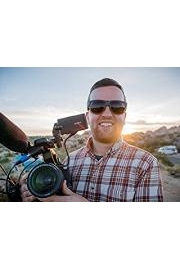
Video Production Bootcamp is a popular online course offered by Video School Online Inc. The series is hosted by Phil Ebiner, an experienced videographer and instructor. The show is designed to teach beginners to create professional-quality videos in a fun, easy-to-understand way.

The course is divided into several sections, starting with the basics of video production. In the first few episodes, viewers learn about camera settings, lighting, and composition. Phil explains everything in simple terms, with plenty of examples to help students learn more quickly.

Once the basics are covered, the show moves on to more advanced topics such as sound design, editing, color grading, and storytelling. Phil shares his tips and tricks for creating engaging videos that capture viewers' attention from start to finish.

One of the great things about Video Production Bootcamp is that it's designed for all levels of experience. Whether you're a complete beginner or an amateur videographer looking to improve your skills, there's something for everyone.

Throughout the show, Phil emphasizes the importance of practice and experimentation. He encourages viewers to gather their own equipment and start experimenting with different shooting techniques, editing styles, and storytelling methods.

One of the most notable aspects of Video Production Bootcamp is the variety of projects that viewers can work on. Each episode ends with a project assignment that encourages viewers to apply what they've learned in a real-world scenario. These assignments are tailored to different skills and interests, so everyone can find a project that suits their style.

Another highlight of the show is the community of learners that has grown up around it. Phil and his team run an online forum where students can share their work, ask questions, and get feedback from other learners. This community helps to keep students motivated and engaged, even when the going gets tough.

In addition to the main video series, there are several other resources that students can access to enhance their learning experience. These include downloadable templates, worksheets, and equipment guides. There's also a series of bonus videos that cover additional topics such as social media marketing, YouTube optimization, and creating videos with drones.

Overall, Video Production Bootcamp is a fantastic resource for anyone looking to improve their video production skills. With its engaging host, practical assignments, and supportive community, it's the perfect way to fast-track your learning and start creating high-quality videos that really stand out. So why not sign up today and see what you can achieve?

Filter by Source
No sources available
Seasons
Thank You
43. Thank You
June 1, 2017
Thank you so much for enrolling in our course. From the bottom of our heart, we hope you enjoyed the course, and that it has helped you become a better video creator.
Grow Your YouTube Channel
42. Grow Your YouTube Channel
June 1, 2017
YouTube can be one of the biggest and best ways to grow brand - which in turn leads to followers, clients, customers. Learn the best practices for growing a YouTube channel in this lesson.
Promote Your Video to Get More Views
41. Promote Your Video to Get More Views
June 1, 2017
This lesson of the video production bootcamp will help you decide where you want to post your videos. There are a number of options including YouTube, Vimeo, Facebook, Twitter, Instagram, etc. Knowing how and why you use a platform can help expand your video's reach.
Export the Best Quality Video for Online
40. Export the Best Quality Video for Online
June 1, 2017
We live in the world of HD, and resolutions are only going to increase. Learn what settings we use when exporting our videos.
Increase Video Engagement with Calls to Action
39. Increase Video Engagement with Calls to Action
June 1, 2017
Most of your videos will have a goal in mind - to get people to visit your website, buy your product, join your email list, support a cause or even just learn something new. Using calls to action can increase engagement and conversion. We'll show you how in this video.
Design Clean and Professional Titles
38. Design Clean and Professional Titles
June 1, 2017
Adding titles and graphics to your video can make it more engaging and help emphasize a point. It can also make your video more mobile-friendly. This lesson will teach you how to design better text graphics.
Finding Free and Inexpensive Music for Your Videos
37. Finding Free and Inexpensive Music for Your Videos
June 1, 2017
Music can add a lot to your videos, making them feel more professional and engaging. But finding free music is one of the hardest and most time-consuming tasks of an editor. Here are my favorite places to find music.
Improve Your Audio with Editing
36. Improve Your Audio with Editing
June 1, 2017
Here are some basic ways to make your video better with better sound. You'll learn how to improve vocals and add background music.
Tell Your Story with Editing
35. Tell Your Story with Editing
June 1, 2017
As an editor, I like to see myself as the person who actually gets to put together the story. This lesson will teach you how to tell your story through the edit.
How to Edit a Video
34. How to Edit a Video
June 1, 2017
This lesson of the video production bootcamp will cover the steps to editing your videos: organization, import, sync, pulling selects, editing, adding b-roll and graphics, adjusting audio and video, adding music and effects, and exporting.
Intro to Post-Production
33. Intro to Post-Production
June 1, 2017
Welcome to the post-production section of the video production course. This section is all about how to use editing to make better videos - no matter what application you're using.
The 3-Point Video Lighting Setup
32. The 3-Point Video Lighting Setup
June 1, 2017
This lesson in the video production bootcamp will teach you about three-point lighting, the basic lighting setup for any video - interviews, narrative films, etc. You'll learn about the key light, fill light, and back light. You'll see us demonstrate the use of each light and set them up. By the end of this lesson, you'll be confident when going out to shoot your first project.
Use Natural Light
31. Use Natural Light
June 1, 2017
Using natural light is the cheapest way to light your videos. But it's not as easy as standing outside on a sunny day. Learn our best practices for using natural light in your videos in this lesson.
Why We Light
30. Why We Light
June 1, 2017
Proper video lighting makes videos look amazing, even when shot with a smartphone. It can also help tell your story by creating a mood for your video. This is what we'll be covering in this lesson.
How to Record Audio with Your Computer
29. How to Record Audio with Your Computer
June 1, 2017
To get better sound when recording with your computer, you need to use an external microphone like a USB or studio microphone. USB microphones are really easy to use because you just plug them in. Studio microphones that don't have a USB line have to go through an audio interface that converts it to digital audio.
How to Use a Shotgun Microphone
28. How to Use a Shotgun Microphone
June 1, 2017
Shotgun microphones are great because they are very directional, meaning they focus in one direction and don't pick up a lot of background noise. It's ideal for situations where the speaker is sitting or standing in one spot. This lesson will cover the basics of using a shotgun microphone.
How to Use a Lavalier Microphone
27. How to Use a Lavalier Microphone
June 1, 2017
Lavalier (aka lapel or lav) microphones are awesome for interview and talking head videos. The wireless options get rid of cords that get in the way. But placement of lav mics can be tricky. That's what we'll be covering in this lesson.
Tips for Recording Audio in Any Environment
26. Tips for Recording Audio in Any Environment
June 1, 2017
This lesson of the video production bootcamp covers how to record better sound in any environment. You'll learn things like how to reduce echo and reduce background noise.
Choose the Right Microphone for Your Video
25. Choose the Right Microphone for Your Video
June 1, 2017
In this lesson of the video production bootcamp, you'll learn how to choose the microphone for your shoot. Remember your mic options - lavalier, shotgun, on-board shotgun, internal microphone, USB or studio mic. Each has a different purpose for a different situation.
Screencasting: Record Great Videos on Your Computer
24. Screencasting: Record Great Videos on Your Computer
June 1, 2017
In this lesson of the video production bootcamp, you'll learn how to create great screencast videos.
Webcams: Shoot Great Videos with Your Computer
23. Webcams: Shoot Great Videos with Your Computer
June 1, 2017
Instead of using your internal computer webcam, get an external webcam like the Logitech C920. Even though my iMac's webcam shoots HD video, the technology and quality of an external webcam is better. In this lesson, you'll learn how to light and compose better shots with your webcam. We'll also cover setting up a great background.
Dslr & Mirrorless: Know Your Lenses
22. Dslr & Mirrorless: Know Your Lenses
June 1, 2017
The ability to change lenses on your camera is a main reason that people love using DSLR and mirrorless cameras.
Dslr & Mirrorless: Camera Stabilization
21. Dslr & Mirrorless: Camera Stabilization
June 1, 2017
Shaky footage is one way to look amateur. While handheld shots can be a stylistic approach for realistic documentaries, narratives, and vlog-style videos, it isn't good for all types of videos.
Dslr & Mirrorless: Get Great Focus
20. Dslr & Mirrorless: Get Great Focus
June 1, 2017
Focusing is one of the most difficult things to get good at. It just takes a lot of practice. Not only do you need to be able to get focus on steady shots, but you can make your shots more creative with rack focusing. This is when you change focus in the middle of a shot.
Smartphones: Shoot Great Videos Anywhere, Anytime
19. Smartphones: Shoot Great Videos Anywhere, Anytime
June 1, 2017
In this lesson of the Video Production Bootcamp, we show you how to properly use a smartphone for recording video. You'll learn about lighting, composition, slow motion recording, and filming yourself.
Shoot Great Videos in Your Home: Phil's Office Setup
17. Shoot Great Videos in Your Home: Phil's Office Setup
June 1, 2017
See the behind-the-scenes of one of our setups - Phil's office. You'll see the background and lighting choices we've made. you'll hear the pros and cons of shooting in a home office. And you'll learn some tips for shooting in your own home.
Get Enough Footage - What Shots Do You Need?
16. Get Enough Footage - What Shots Do You Need?
June 1, 2017
What shots do you need? This lesson of the video production bootcamp will teach you how to make sure you have the right shots to tell your story. You'll learn the difference between A-Roll and B-Roll, and how to tell your story with both.
Choose a Background
15. Choose a Background
June 1, 2017
Your video background should help tell your story. It shouldn't be an afterthought. Your background depends on the type of video. Real backgrounds create an environment for your story. They shouldn't be distracting, messy, or have things that shouldn't be seen. Paper or cloth backgrounds are an option for educational and promotional videos.
How to Film Yourself
14. How to Film Yourself
June 1, 2017
In this lesson of the video production bootcamp, you'll learn key tips to filming videos of yourself.
Compose Great Shots
13. Compose Great Shots
June 1, 2017
Now that you know how to expose, you have to compose. Composition is basically understanding how to set your frame to tell your story. What is in your frame? What is not in your frame? Where are things in your frame? Everything in your frame matters. This lesson will teach you about frame sizes, shot types, and how to position a subject.
Know Your Settings and How to Get Proper Exposure
12. Know Your Settings and How to Get Proper Exposure
June 1, 2017
In this section of the video production bootcamp, you'll learn basic cinematography. How do you expose your video? How do you compose better shots? How do you choose a background? Basically, you'll learn how to use your camera to tell your story.
Our Recommended Lighting Equipment
10. Our Recommended Lighting Equipment
June 1, 2017
In this lesson of the video production bootcamp, we'll give you our recommendations for choosing a lighting kit on any budget. Don't forget to download our PDF guide that gets updated with our latest recommendations.
Our Recommended Cameras
8. Our Recommended Cameras
June 1, 2017
In this lesson of the video production bootcamp, we'll give you our recommendations for choosing a camera on any budget. Don't forget to download our PDF guide that gets updated with our latest recommendations.
Budget Video Creator Kit
7. Budget Video Creator Kit
June 1, 2017
This section of the course is put together for those of you interested in equipment. We always get questions about equipment we recommend, so in the following lessons we will cover the equipment we recommend at the time of filming.
Going Through the Production Checklist
6. Going Through the Production Checklist
June 1, 2017
In this lesson of the video production bootcamp, we'll walk through our downloadable production checklist for a real video project we're working on. Please download the Word or PDF checklist to follow along.
Plan Your Video - Pre-Production Basics
5. Plan Your Video - Pre-Production Basics
June 1, 2017
Pre-production is important, even for videos that seem like they don't need it. We spent weeks preparing for this video course - writing outlines, scripts, planning shoot days and locations, writing out shot lists.
Come Up with a Great Video Idea
4. Come Up with a Great Video Idea
June 1, 2017
Great videos start with a great story. And videos are one of the best mediums of telling stories - we live in a visual world. You might already have the perfect story in your mind. Other times, you might need to come up with a story. Or maybe you're starting a YouTube channel, but don't know what to make your videos about. This lesson will cover different ways to come up with great video ideas.
Create the Right Video
3. Create the Right Video
June 1, 2017
Much of what makes a video successful happens before the production. There are three main tips which will help you come up with the right video for your purpose.
You Need These Things to Make Great Videos
2. You Need These Things to Make Great Videos
June 1, 2017
Here are the key elements to making a great video: a camera, a subject, a good lighting, good editing, and distribution.
Welcome to the Course
1. Welcome to the Course
June 1, 2017
Welcome to the course! We created this course for video beginners. This means you are someone who has never made a video before, or someone who has already started making videos but is looking for more help. We are video professionals seen everywhere from the big screen to viral hits on YouTube. We've come together to teach you the essentials of making a great video.
Description