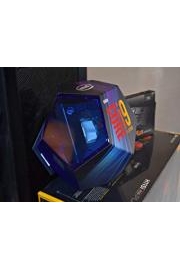
How to Build an Extreme Gaming PC

Watch How to Build an Extreme Gaming PC

  • 2019
  • 1 Season

Building your own Gaming PC is easier than you think and super fun and rewarding. Watch these amazing videos on 'How-To'. Enjoy!

Filter by Source
No sources available
Seasons
Finishing touches
55. Finishing touches
December 16, 2019
We've now come close to the end but here are some finishing touches for our amazing new Extreme Gaming PC.
Introduction to Tuning or Overclocking the CPU
54. Introduction to Tuning or Overclocking the CPU
December 16, 2019
The great this about this Asus Motherboard, is that its been designed for high performance, tuning and Overclocking. They even provide great software to help! Lets take a look at what its all about and I'll give an introduction into what Overclocking is and how to start with the Asus software.
Setting up the Aura Software by ASUS
53. Setting up the Aura Software by ASUS
December 16, 2019
Lets take a closer look at setting up the Aura software.
More on Profiles
51. More on Profiles
December 16, 2019
Profiles are a really cool feature and deserve a bit more detail on how to use them, so lets take a deeper look.
50. "Profiles" in the iCue Software
December 16, 2019
Corsairs' iCue software supports a really cool feature called, 'Profiles', so what are Profiles and how do they work? Lets take a look at this really cool feature!
Setting up Corsairs icue Software
49. Setting up Corsairs icue Software
December 16, 2019
To get all the colorful and whizzy components working together we need to setup the icue software by Corsair, lets take a look at how to do that.
Bench Testing for our new GeForce RTX 2080
48. Bench Testing for our new GeForce RTX 2080
December 16, 2019
So now we have installed and set-up the new GeForce RTX 2080 but what performance difference will it make when compared to the previous 1060 GTX? Well let run some tests and find out.
Installing an Solid State Drive card
47. Installing an Solid State Drive card
December 16, 2019
Solid state drives come in several forms. An easy, quick and cost effective way to boost your storage capacity is to add a SATA solid state drive. Lets take a look at one and how to install it.
Installing GeForce RTX 2080 Video Card
46. Installing GeForce RTX 2080 Video Card
December 16, 2019
Now we have run some performance tests on the GeForce 1060 GTX video card, its time to turn our attention to the much faster RTX 2080. So lets look at installing that next.
Bench Test for GeForce GTX 1060 video card
45. Bench Test for GeForce GTX 1060 video card
December 16, 2019
The first Video Card I'm testing is the, GeForce GTX 1060, which we saw installed during the build process. Well now it's time to get some performance statistics, so later on we can compare it against the GeForce RTX 2080.
Benchmark Software Set-up
44. Benchmark Software Set-up
December 16, 2019
Now we have the hardware and software installed on our extreme Gaming PC. It's time to start looking at performing some bench tests. First of all we need some software to help us do that. Which software and how to install it? Lets take a closer look.
Setting up the Video Card Drivers
43. Setting up the Video Card Drivers
December 16, 2019
Most of our hardware components will have software Drivers, our Video/Graphics cards are no different. So lets look at how to get the very latest drivers and how to install them.
Installing Drivers for our M.2. NVMe Storage device
41. Installing Drivers for our M.2. NVMe Storage device
December 16, 2019
Its now time to install the specific drivers for our M.2. NVMe Storage device.
Installing Asus Drivers
40. Installing Asus Drivers
December 16, 2019
So we achieve the best performance we can for our new hardware, we also need to install some software to help get things working together. This software is called a Driver, lets take a look at how we can install the Drivers for our Asus Motherboard.
Installing Windows 10
39. Installing Windows 10
December 16, 2019
We've created an install-able version of Windows, now lets go ahead and start installing.
Creating a Windows 10 Flash Drive
38. Creating a Windows 10 Flash Drive
December 16, 2019
We have a bare metal PC but no Operating System. I'm going to be using Window 10, so lets start looking at the process to install Windows 10 onto our brand new PC.
PCs First Start-up - POST
37. PCs First Start-up - POST
December 16, 2019
Exciting time. The PCs first start up but with a modern PC is not just a press a button and hope for the best, kind of affair. The Motherboard goes through a whole series of checks. Called POST - what is that? Well lets take a close look.
WiFi Aerial Installation
36. WiFi Aerial Installation
December 16, 2019
Having a connection to the Internet is pretty vital these days. Even when it comes to installing the Windows operating system, which we shall be doing very soon! So lets look at setting up the Wifi Aerial, as we have the Wifi version of the Motherboard.
Temperature Sensor Installation
35. Temperature Sensor Installation
December 16, 2019
Our extreme components can get very hot, very quickly. As I we looked at earlier, Fans should take care of that but its a great idea to monitor the temperature within the Case to ensure everything is being kept cool. To do this we need Temperature sensors, the Corsair commander pro comes with a bunch of sensors straight out of the box. Lets take a closer look.
Setting up the SATA Power Cables
34. Setting up the SATA Power Cables
December 16, 2019
So far we have installed some very high performing components into our PC Case but without power they're powerless. So lets start look at providing the connection between our power supply unit and the other components.
Working with the Lighting Node Pro and Commander Pro
33. Working with the Lighting Node Pro and Commander Pro
December 16, 2019
We have Corsairs lighting node pro and commander pro. Can they work together? They sure do and really well, lets take a closer look.
Setting up a Commander Pro to control our new Extreme PC
32. Setting up a Commander Pro to control our new Extreme PC
December 16, 2019
Our Extreme PC has lots of whizzy RGB lighting systems, fans and later temperature monitoring, but how do we control all that. One possibility is by using the Commander Pro by Corsair. Lets take a closer look!
Setting up our Lighting effects
31. Setting up our Lighting effects
December 16, 2019
One of our main requirements is to have a Wow factor built into our extreme PC. Well nothing says wow more than colored lighting. Let's see how we set that up and control it.
Installing Random Access Memory
30. Installing Random Access Memory
December 16, 2019
Our PC cannot function without memory or random access memory, we also want our memory to be full of dazzle.
Lower RGB Extractor Fan install
29. Lower RGB Extractor Fan install
December 16, 2019
Its time to turn our attention to keeping out Extreme PC cool again. With all these high preforming components, heat can build up very quickly and potentially damage something. Lets look at add yet another RGB Fan , this time at the bottom of the Case to ensure good ventilation.
Wiring up the Power Supply Unit
28. Wiring up the Power Supply Unit
December 16, 2019
Now we have a Power Supply Unit (PSU) installed, let start looking at wiring it up to the components already in the Case
Installing the (Modular) Power Supply Unit (PSU)
27. Installing the (Modular) Power Supply Unit (PSU)
December 16, 2019
The Power Supply Unit I'm installing is modular but what does that mean? Lets take a look and find out.
The Power Supply Unit
26. The Power Supply Unit
December 16, 2019
Every PC needs power but we need economical, efficient power in a unit with stunning looks and lighting display. Lets take a look.
Our first Video Card - GeForce GTX 1060
25. Our first Video Card - GeForce GTX 1060
December 16, 2019
Now its time to turn our attention to the heart of the Gaming PC, the Video Card. Lets take our first look at a budget option and how to install it.
Extra RGB Fan install
24. Extra RGB Fan install
December 16, 2019
It's really important to keep the inside of the PC Case cool. So nothing overheats. To make sure things are kept cool. lets install and extra RGB Fan.
Wiring in our Water Cooling System
23. Wiring in our Water Cooling System
December 16, 2019
We have all the major components of our water cooling system installed but we need power and to able to control it. Lets take a look at wiring in the system in so we have power and have the ability to control it.
Installing the Water Pump
22. Installing the Water Pump
December 16, 2019
That part of the cooling system that takes the heat away from out CPU is the water pump. So lets take a look at how we install it.
RGB Fans and Radiator for the Water Cooling System
21. RGB Fans and Radiator for the Water Cooling System
December 16, 2019
To keep our water cooling system nice and cool we need cool water. So lets provide a radiator to contain the water and super colorful fans to keep the radiator well ventilated and cool while looking good that the same time.
Intel Standoffs for the H100i Water Cooling Sytem
20. Intel Standoffs for the H100i Water Cooling Sytem
December 16, 2019
Before we install the water cooling system we need to look at fitting some fixtures called Standoffs, so we can mount the water pump onto the cpu. Lets take a look.
Corsair H100i RGB, Water cooler system Un-boxing
19. Corsair H100i RGB, Water cooler system Un-boxing
December 16, 2019
Our super fast Processor (CPU) needs to be kept cool. Lets look at our most efficient Water Cooling system with RGB lighting!
Wiring up the Maxiumus XI Hero Motherboard to the Case Control Panel
18. Wiring up the Maxiumus XI Hero Motherboard to the Case Control Panel
December 16, 2019
Now we have our extreme Motherboard installed into the computer Case, now its time to look at wiring in the Front Control Panel.
Installing the ROG Maximus XI Hero
17. Installing the ROG Maximus XI Hero
December 16, 2019
With the CPU and M.2 NVMe storage installed into the Motherboard. Lets turn our attention to installing the Motherboard into the Case.
Installing Samsung M.2 NVMe Storage
16. Installing Samsung M.2 NVMe Storage
December 16, 2019
With the cpu now installed into the Motherboard it's time to turn our attention to some storage for our new PC. The faster the better. Lets' take a look.
Installing the Intel's i9 9900K Processor
15. Installing the Intel's i9 9900K Processor
December 16, 2019
OK, we have our high performance Motherboard, but without a Central Processing Unit (CPU) it's literally brain dead! So in this lecture I want to set about installing our Intel i9 Processor.
Asus ROG Maximus XI Hero Motherboard (Mobo)
14. Asus ROG Maximus XI Hero Motherboard (Mobo)
December 16, 2019
The the last tutorial I looked at un-boxing the Motherboard. Now its time to strep through the components that make up the Motherboard.
Front Control Panel and Cables
13. Front Control Panel and Cables
December 16, 2019
The PC Case comes with a built in Control Panel at the front. It allows us to turn on and off the PC and also provides us some USB ports. Lets look at the wiring for the Control Panel and so we have an idea of what needs to be installed later on.
Upgrade the rear Case Fan to an RGB Fan
12. Upgrade the rear Case Fan to an RGB Fan
December 16, 2019
So, we've just upgraded the front Fans to colorful RGB Fans. Now have some color and dazzle to our new Case. Lets do the the same now to for the rear Fan.
Upgrading the Case front Fans to colorful RGB Fans
11. Upgrading the Case front Fans to colorful RGB Fans
December 16, 2019
Providing some color and dazzle to our new Extreme PC is essential. Lets start by changing the plane default Fans. With some new dazzling RGB Fans!
Lets' take a look at the Case
10. Lets' take a look at the Case
December 16, 2019
Our new PC is going to need a Case to house all our extreme parts and allow us to see the lighting display!
Top Parts
9. Top Parts
December 16, 2019
A quick look at all the shiny new parts to be used in my Extreme Gaming PC !
Some Tools to help us do the build
8. Some Tools to help us do the build
December 16, 2019
Before we jump right into the build, there are some useful tools that will help our journey to gaming PC nirvana.
Video Cards, some thoughts on it
7. Video Cards, some thoughts on it
December 16, 2019
OK, so I've spoken about Video cards otherwise known as Graphics Cards but here are some of my thoughts on what to buy and why.
Top parts for an Extreme Build
6. Top parts for an Extreme Build
December 16, 2019
I'm going to spend a little time now, walking through some of the parts used in this guide for our new PC build.
How to choose Top Parts
5. How to choose Top Parts
December 16, 2019
So we know what type of new PC we want. We have planned the new PC's Architecture, but buying compatible parts can be a big concern. Lets look at a really easy way to find compatible parts that work well together and before we buy anything!
Lets' plan the System Architecture
4. Lets' plan the System Architecture
December 16, 2019
What is a System Architecture and how do we go about planning one? Lets find out how.
What do we want ?
3. What do we want ?
December 16, 2019
What do we want our new PC to do? It's a good question to start off with, because it will help us determine the type of components needed to build a PC we really want.
The Course Structure
2. The Course Structure
December 16, 2019
Lets take a quick look at the structure of this course, mostly its video based. There're some helpful documents online too.
Introduction
1. Introduction
December 16, 2019
Building your own Gaming PC is easier than you think and super fun and rewarding. Watch these amazing videos on 'How-To'. Enjoy!
Description
  • Premiere Date
    December 16, 2019