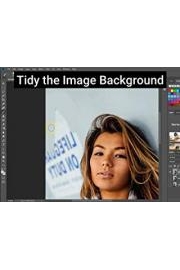
Watch Photograph to Drawing - Photoshop Tutorial
- 2018
- 1 Season
The show, Photograph to Drawing - Photoshop Tutorial, from Photoshop Tutorials is an instructional video on how to transform a photograph into a drawing using Photoshop software. The host takes the viewer through the entire process, starting with selecting an appropriate photograph to work with and guiding them step-by-step through the editing process.
The tutorial is especially useful for those who are interested in digital art as they will learn valuable techniques and tricks they can use to create various styles of drawings using their existing photographs. The video is also useful for beginners to Photoshop as the presenter provides a clear and concise explanation of the necessary tools and how to use them effectively.
The show starts with an overview of the process, and the host explains the importance of choosing the right photo to work with. The tutorial also covers how to adjust the photo's brightness, contrast, and saturation, enabling the artist to determine the best starting point for the drawing process.
Once the image has been prepared, the host will start to teach the viewers the various ways to apply different types of effects in Photoshop that simulate different drawing styles, including pen, pencil, charcoal, and many others. The host uses a series of tools that imitate drawing techniques in order to create the illusion of a detailed sketch.
The video also covers how to use layers in Photoshop, which allows for non-destructive editing. The host explains how to create a new layer and how to use blending modes, masks, and other techniques to add more details to the drawing. Layering is a crucial part of the drawing process that enables the artist to create a fully editable drawing.
As the tutorial progresses, the host takes the viewer through some more advanced techniques that are aimed at creating highlights and shadows on the 'drawing' to give it depth and realism. At this point, the host goes into detail about brush settings, such as size, shape, and pressure, to create light and shadow effects similar to real drawings.
Throughout the video, the host emphasizes the importance of experimenting with different settings and techniques to achieve the desired effect. There is no right or wrong way to approach the creation of the drawing, and the presenter reminds viewers to experiment and adapt their techniques to achieve the desired effects. This encourages experimentation, which in turn will give viewers confidence in their abilities.
The host concludes the video with final touches such as adding filters or text, saving the drawing in various formats, and other finalizing touches. The tutorial video will provide a comprehensive understanding of how to transform a photograph into a detailed drawing and show the viewers how they can use it for their own artistic projects. However, the course takes into account that, to become a professional artist, you would require years of practice and dedication.
In conclusion, the show, Photograph to Drawing - Photoshop Tutorial, is an excellent resource for anyone who wants to learn how to transform a photograph into a drawing. The host is an experienced Photoshop user, and they explain every step of the process in a clear and easy-to-understand manner. The show is a perfect mixture of both theory and practicality, which is excellent since it allows the viewer to learn, apply and experiment with their freshly acquired knowledge. Anyone who is interested in digital art should definitely check out this tutorial.